
PDD 2026 Speaker
Cindy M. Lewis
"Deliver Projects Faster with the Planner Agent" and "Work Smarter with Copilot: A Hands-On Challenge"
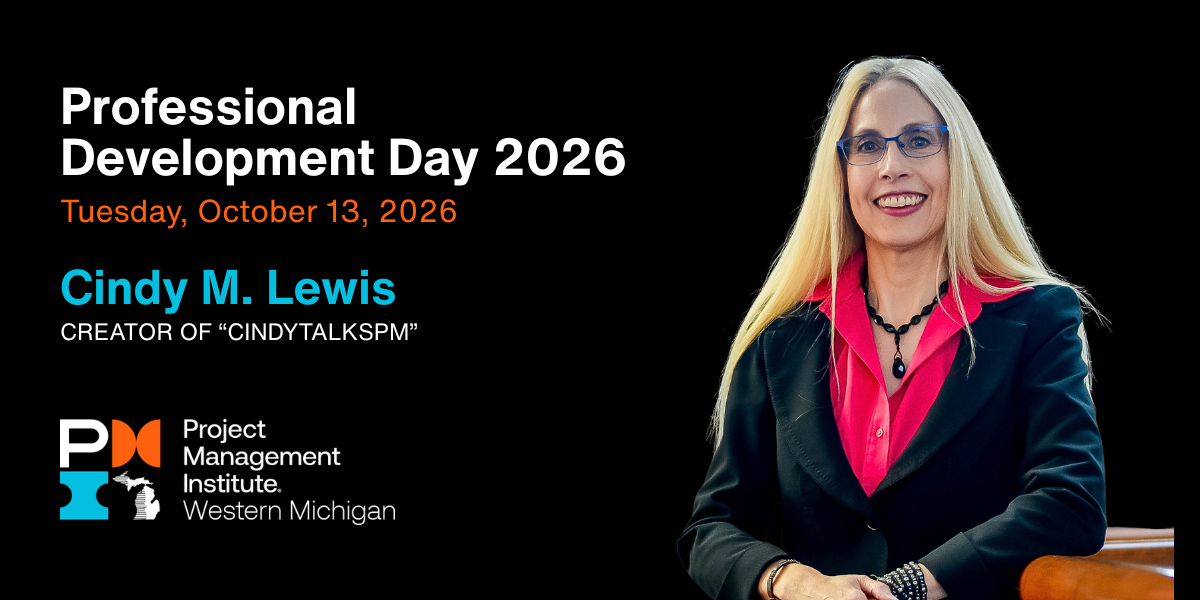
About the Speaker
Cindy has been a member of WMPMI for 29 years!
Cindy is the author of Microsoft Project Step by Step and brings her expertise to the classroom as a college-level instructor. She is also the founder of 4 Pillars of Success®, a training philosophy focused on customized project management learning solutions.
Cindy holds Microsoft’s Most Valuable Professional (MVP) award and regularly trains clients on Microsoft Project, Planner, and Copilot. She works closely with organizations to help them get greater value from their tools and processes.
In 2026, Microsoft recognized only four Microsoft Planner MVPs worldwide, and Cindy was one of them!
An active speaker and volunteer with multiple Project Management Institute chapters, Cindy shares practical insights that support growth across the project management community. She also posts regularly on LinkedIn and other social channels as CindyTalksPM to help project managers at every level. www.linkedin.com/in/cindylewis2/
Session 1: "Deliver Projects Faster with the Planner Agent"
Planner Agent, the AI-powered assistant built into Microsoft Planner, is changing how teams approach work management and project planning. In this hands-on session, participants will explore recent Planner enhancements and see how Planner Agent can help create plans, generate and organize tasks, automate routine work, and provide useful status insights. Participants should bring their own device, sign in to a Microsoft 365 account, and be prepared to try several of the capabilities demonstrated during the session.
Learning Objectives
Attendees will be able to:
- Explore the latest Microsoft Planner enhancements for project managers.
- Identify practical ways to use Planner Agent to move work forward.
- Apply Planner Agent capabilities within their own work environment.
Session 2: "Work Smarter with Copilot: A Hands-On Challenge"
This interactive session moves beyond basic Copilot demonstrations and gives participants an opportunity to apply Microsoft 365 Copilot to real-world business problems. Through hands-on exercises, attendees will explore how Copilot can uncover insights, connect information across applications, automate work, generate content, and support decision-making. Participants will also practice effective prompting techniques they can apply in their own work. Attendees without Copilot can participate using another AI tool.
Learning Objectives
Attendees will be able to:
- Apply Copilot to common workplace scenarios.
- Build confidence through hands-on prompt practice.
Together, Cindy's two PDD 2026 sessions give project professionals direct practice with Microsoft Planner, Copilot, AI-assisted planning, and prompting rather than limiting the discussion to theory.